


Move your Windows Applications to the web
Transform your Legacy apps into web-based solutions with a single line of code.
Join over 5,000 leading companies that trust Cybele Software


For Developers
Webify
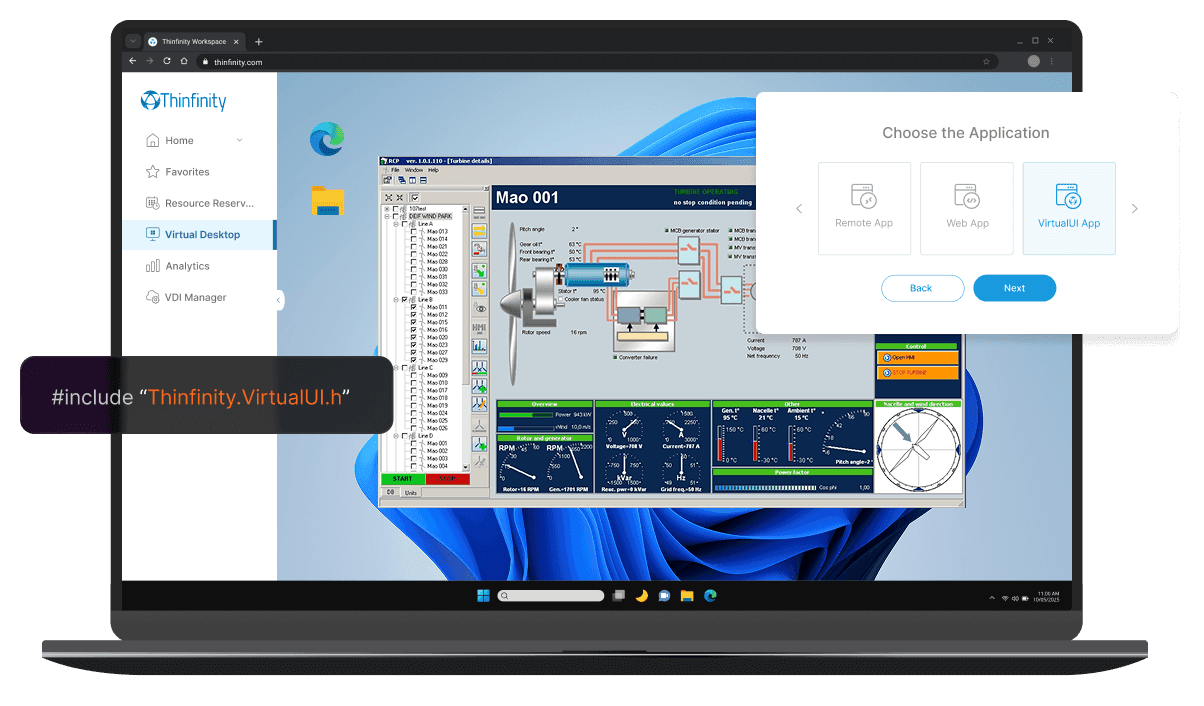
Transform your desktop or client-based application into a web app with Thinfinity’s proprietary technology. Seamlessly stream your application to any web browser, enabling native web capabilities without the need for code changes, giving users secure, browser-based access from any device, anywhere.
Modernize
Easily transform your legacy application by modernizing its GUI and integrating it with other systems using the Thinfinity Web Integration Framework. Through JavaScript Remote Objects (jsRO), your application can seamlessly communicate between Windows and web environments, supporting dynamic functionality across platforms.
Integrate
Seamlessly extend your application’s functionality with Thinfinity’s REST API and customizable OEM packages. Whether integrating with third-party systems or embedding Thinfinity’s capabilities into your product, our flexible API allows you to manage and control virtualization, user sessions, and application workflows.
For ISVs
Transform your software into a SaaS solution without redevelopment. Automate your sales process and instantly offer free trials from your website to boost engagement and maximize ROI.
Immediate Time to Market
- No/Low-recoding transformation.
- Get your application web-available in less than a week.
- Accelerate competitive positioning by having a SaaS offer in no time.
Scalable, Flexible, Hybrid-Ready Infrastructure
- Cloud-based portal with seamless hybrid integration.
- Multi-tenant instances for secure, efficient Application Hosting.
- Automated scaling and provisioning for cost optimization.
Visibility & Control
- Comprehensive analytics and audit logs.
- End-to-end session monitoring: IP source and device.
- Detailed resource usage and session recording.
- Fast customer support.
Identity & Access Management
- Integration with any IDP and IAM.
- Role based permissions.
- SSO, 2FA and MFA.
Future Proofing (jsRO)
- Enhanced interactivity and user experience.
- Reduced server load and bandwidth usage.
- Future-proof architecture.
Automated Trials
- Automate trial provisioning.
- Run software trials in the cloud.
- Modernize your sales process.
For Enterprises
Extend the life cycle of your in house made Windows applications and deliver them to your users on any device without the complexity and cost of traditional virtualization approaches.
Immediate Time to Value
- Modernize legacy applications without extensive code rewrites.
- Replatform your apps quickly to ensure faster adoption across new infrastructures.
- Ensure application compatibility with modern cloud and hybrid environments.
Extend the Life of In-House Applications
- Upgrade legacy systems while maintaining existing functionality.
- Enhance security and reduce vulnerability in outdated applications.
- Ensure long-term viability with modern infrastructure compatibility.
Future-Proofing with Modern Tech
- jsRO integration for seamless communication between legacy systems and modern web applications.
- Enable mobile-friendly interfaces and cross-platform functionality.
- Rest API ensures integration with your ecosystem and provides strong automation capabilities.
Seamless Cloud Integration
- Migrate legacy applications to the cloud without disruption or redevelopment.
- Enable hybrid cloud solutions to extend your infrastructure while maintaining control of critical resources.
- Reduce operational costs by automating deployment and scaling across cloud environments.
Boost Employee Productivity
- Upgrade user interfaces to enhance usability and streamline workflows in legacy systems.
- Enable remote access to legacy applications across multiple devices without compromising security.
- Integrate modern tools like collaboration platforms and analytics into existing applications.
Select your app's coding language
Select your language
Deploy on Thinfinity Workspace
Schedule a free trial to experience it firsthand
Advanced Development Features
Advanced File Transfer
Leverages virtual channels to overcome browser limitations, delivering a seamless, web-native file handling experience in virtualized applications.
Direct Upload to the Application
Seamlessly upload files directly into the virtualized application, maintaining a native-like user experience.
Direct Download to the User Browser
Effortlessly download files from the application straight to the user’s browser, ensuring smooth file handling.
Drag-and-Drop File Transfer
Easily drag and drop files into the virtualized application, enabling fluid interaction similar to local environments.
Optimized User Experience
Enhance application responsiveness and user experience by leveraging real-time client data and customizable client settings.
Responsive Layouts
Detect device type with BrowserInfo and automatically adjust the application’s layout for mobile, tablet, or desktop users.
Custom Content Delivery
Use browser dimensions and session details to offer personalized experiences, such as mobile-specific versions or custom features for different devices.
User Interaction Control
ClientSettings allows users to customize cursor behavior, scroll settings, and more, ensuring a seamless and intuitive interaction based on their device.
Advanced Application Modernization
jsRO enables native interactions between legacy objects and JavaScript components, allowing for modern interfaces without changing backend logic.
Replace GUI with HTML5
Modernize your application’s interface by integrating native HTML5 components without altering backend logic.
Add Web Features
Enhance your app with additional functionality like interactive widgets using jsRO, without modifying the core code.
Full GUI Overhaul
Transform your entire UI using frameworks like Vue or React while maintaining your legacy backend, bringing a modern experience to existing applications.